
 Documents
 Join our Discord


Description
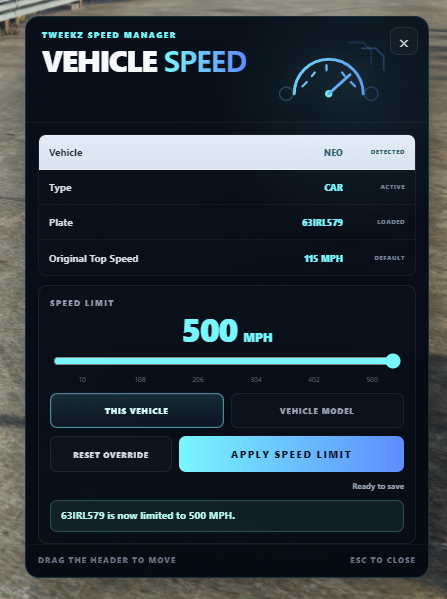
Take control of vehicle speed limits directly in-game with TweekzScripts Vehicle Speed Manager.
The Vehicle Speed Manager allows authorized users to configure and test vehicle speed limits without constantly leaving the menu or restarting the resource. Changes can be tested immediately while driving, making it easy to fine-tune vehicle behaviour.
The resource is standalone and designed to be simple to configure, easy to use and suitable for different types of FiveM servers.
Core Features
Live In-Game Speed Testing
Keep driving while the Speed Manager is open and test changes immediately.Configurable Speed Limits
Adjust vehicle speed limits directly through the in-game interface.KM/H & MPH Support
Choose the preferred measurement system for your server.Vehicle & Model Overrides
Configure specific speed settings for individual vehicles or vehicle models.Persistent Settings
Configured speed data is saved and restored after resource or server restarts.Mouse-Aware Camera Controls
Vehicle controls remain available while the menu is open. Camera movement is blocked while interacting with the interface.Low-Speed Warning
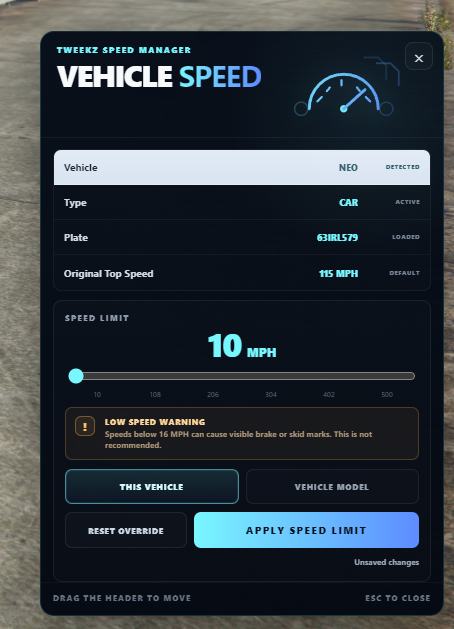
The interface warns users when configuring speeds below 25 KM/H / 16 MPH, as very low speed limits can cause visible brake or skid marks in GTA V.Access Configuration
Authorized users can be configured using Discord IDs and FiveM license identifiers.Multi-Language Support
Included languages:- English
- Dutch
Standalone
No QBCore, Qbox or ESX dependency required.
Configuration
The resource includes an easy-to-edit configuration file where you can configure:
- Language
- Speed units
- Authorized users
- Default limits
- Vehicle settings
- Model-specific overrides
- Additional resource behaviour
Example:
Config.Staff = {
    {
        discord = '',
        license = ''
    },
    {
        discord = '',
        license = ''
    }
}
Important
Speeds below 25 KM/H / 16 MPH are supported, but are not recommended.
Due to GTA V vehicle physics, very low configured speed limits may cause visible brake or skid marks while the vehicle is being limited.
Requirements
- FiveM Server
- No framework required
Documentation
Full installation, configuration and usage documentation is available on:
TweekzScripts.com → Documents → Vehicle Speed Manager